
Easy SetupBeginner-FriendlyWorks in 2026Instant Connection

How to Import Dark Tunnel Config Files (.dark) (Step-by-Step 2026)

Downloaded a .dark file but donโ€™t know how to use it? ๐Ÿค” In this guide, youโ€™ll learn the correct way to import Dark Tunnel config files and connect easily using Dark Tunnel.

D
By debosstbs
5 min read
How to Import Dark Tunnel Config Files Guide

1.Step 1: Download a Dark Tunnel Config File

2.Step 2: Open Dark Tunnel

Now open the Dark Tunnel app on your device. If you haven't installed it yet, you can find it on the Google Play Store.

3.Step 3: Import Config File

Follow these steps to import your .dark file:

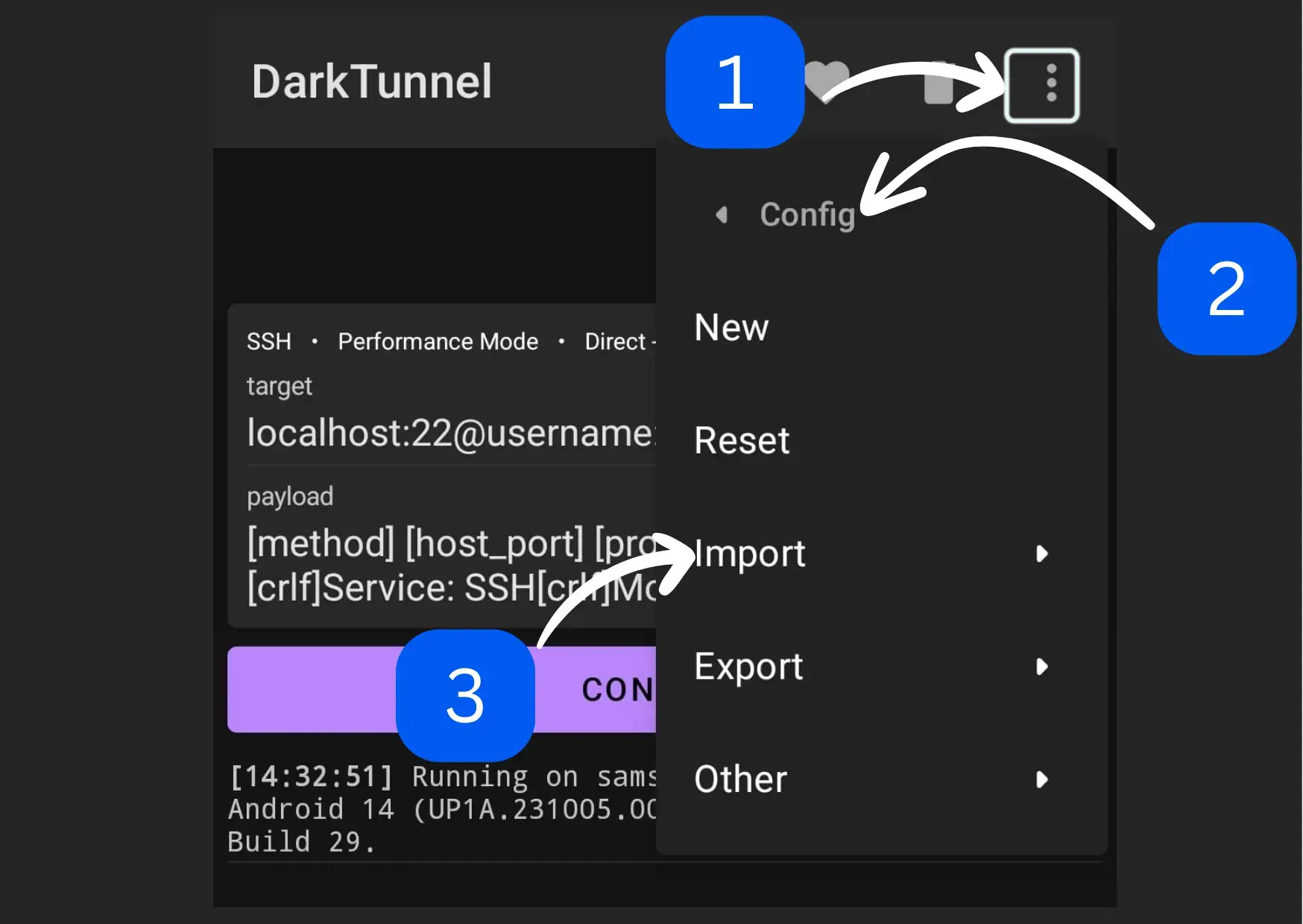
1

Open Dark Tunnel

2

Tap the three-dot menu (top right)

3

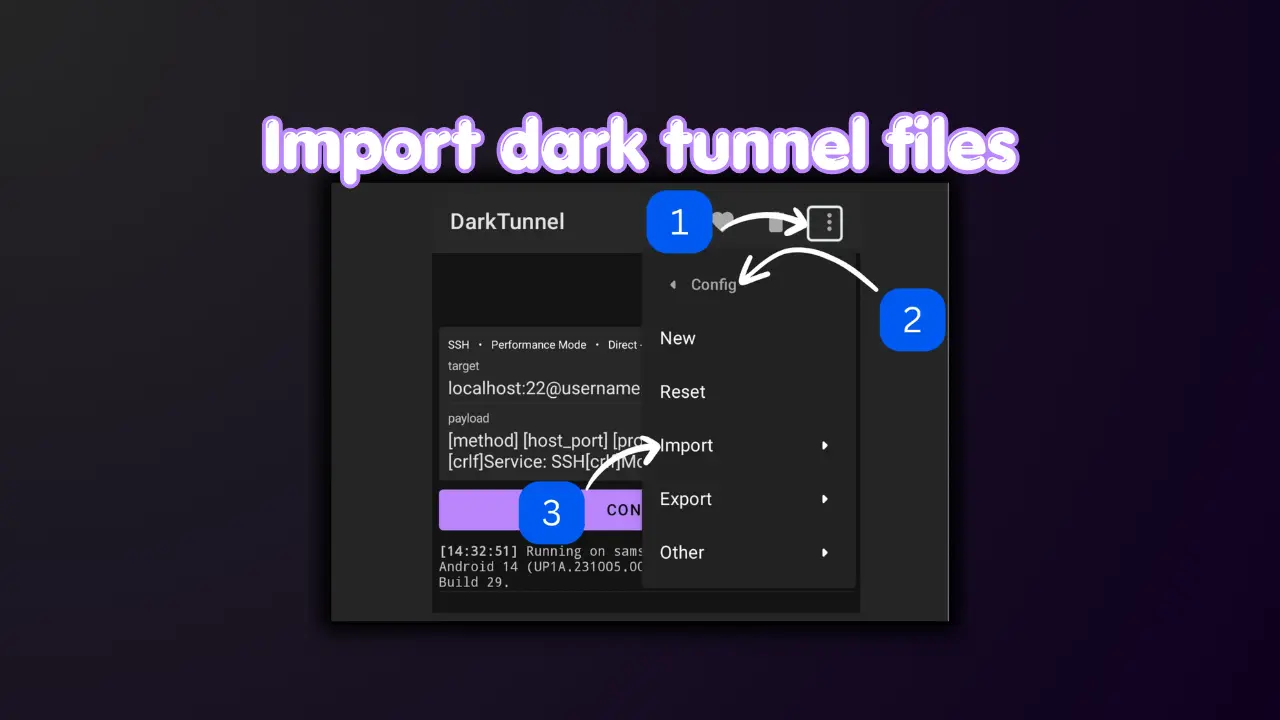
Go to: Config โ†’ Import

Import Config menu in Dark Tunnel
4

Click on file

5

Browse to your Downloads folder

6

Select the .dark file
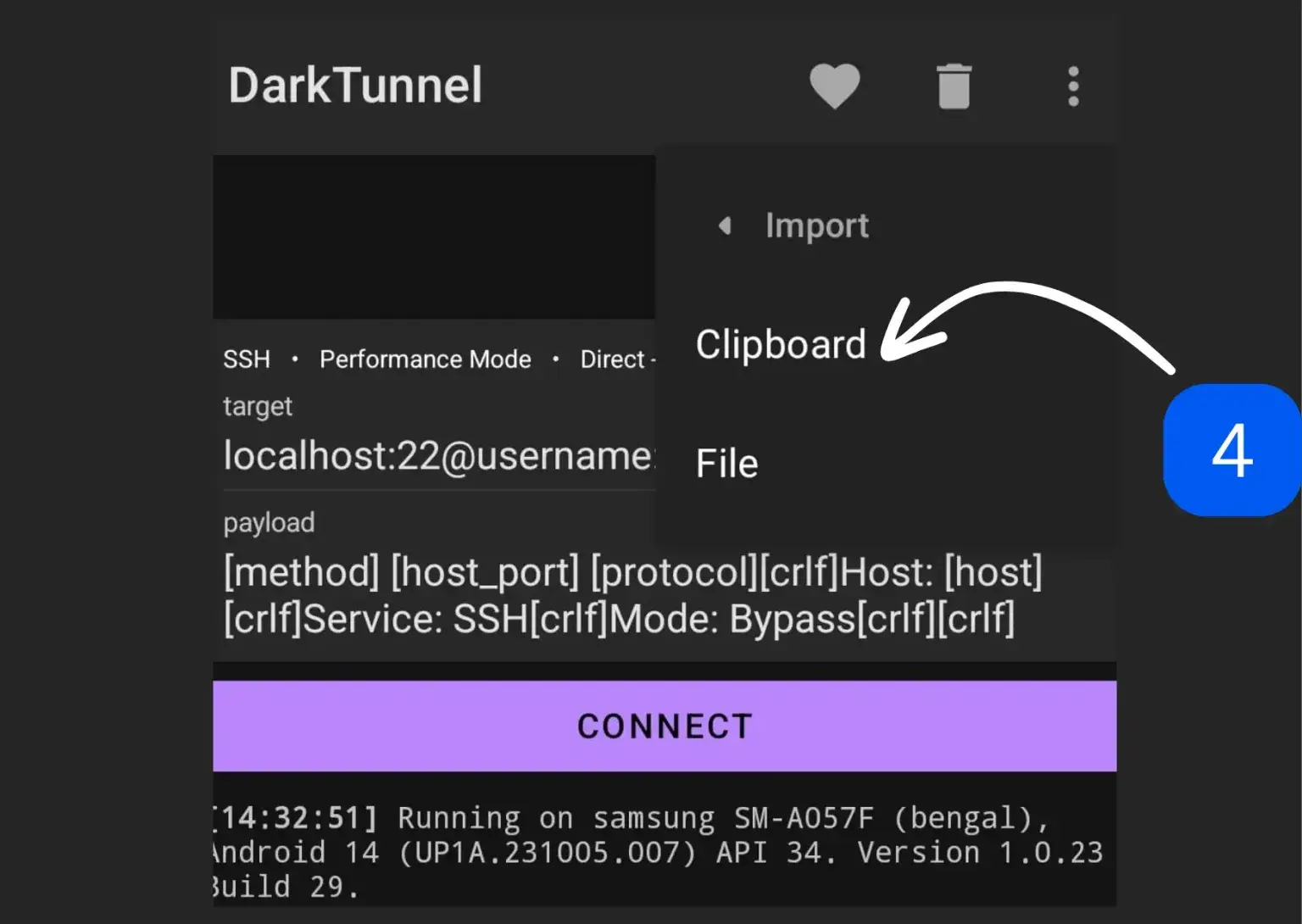
Select .dark file from storage

โœ” The config will load automatically

4.Step 4: Connect

Once the config is loaded:

Tap CONNECT

โœ” If everything is correct, it will connect successfully ๐ŸŽ‰

Important Tips โš ๏ธ

Do NOT change settings
Config files are pre-configured
Make sure mobile data is ON
Use the correct network

Troubleshooting โ—

Not Connecting

  • Try another config file
  • Turn airplane mode ON/OFF
  • Check network signal

No Internet

  • Switch to another config
  • Try different time

File Not Showing

  • Check Downloads folder
  • Re-download the file

Pro Tips ๐Ÿ’ก

Always use latest configs
Check ratings โญ
Try multiple files
Use strong signal

Is It Safe? ๐Ÿ”

Using Dark Tunnel is safe if you follow basic security practices:

Files are from trusted sources

You donโ€™t modify settings

Configs are tested

Conclusion ๐Ÿ“Œ

Importing Dark Tunnel config files is simple:

Download file
Import config
Tap connect

๐Ÿš€ Thatโ€™s it, youโ€™re ready to go!

More Dark Tunnel Guides

Frequently Asked Questions

Q: What is a .dark file?

A: A config file used in Dark Tunnel to provide specialized connection settings for free internet or secure browsing.

Q: Do I need to change settings?

A: No, everything is already configured within the .dark file. Changing settings may break the connection.

Q: Why is my config not working?

A: The config may be expired, or it may not be compatible with your specific network or region. Try downloading a newer file.

Q: Where is the file saved?

A: Typically, downloaded files are saved in your device's 'Downloads' folder.